Helpdesk and field service,
working as one team.
A cloud-based service desk built for South African service teams. Dispatch technicians, honour SLAs, and invoice for every job — all from one place. Tickets, scheduling, live tracking, a customer portal, and a native Android app for the road.
Built for service teams that are always on the move.
Most helpdesks handle tickets. Most field-service tools handle technicians. But the real work happens across both — and that gap is where service falls over.
ShiftBridge Service Desk brings ticketing, dispatch, customer self-service, SLAs, live tracking, and invoicing together on one multi-tenant platform.
The Android app works offline, customer portals carry your brand, and each workspace has its own isolated database.
Everything a service desk actually needs.
From intake to invoice, every feature is built the way real service teams actually work.
Full ticket lifecycle
A guided state flow from Pending to Closed: assignments, checklists, photos, signatures, notes, and time tracking.
Omnichannel intake
Email, WhatsApp, SMS, web form, and a branded customer portal all feed one triage inbox.
SLA engine
Business-hours calendars, public holidays, pause-aware timers, escalation chains, and per-customer SLA policies.
Live field operations
Real-time technician map, route history, and customer tracking links with an ETA.
Automation & rules
Inbound mail rules and trigger-condition-action workflows with test modes and clear run logs.
Reporting & analytics
Built-in ITSM reports, weighted technician scorecards, custom reports, and scheduled emails.
The whole operation at a glance.
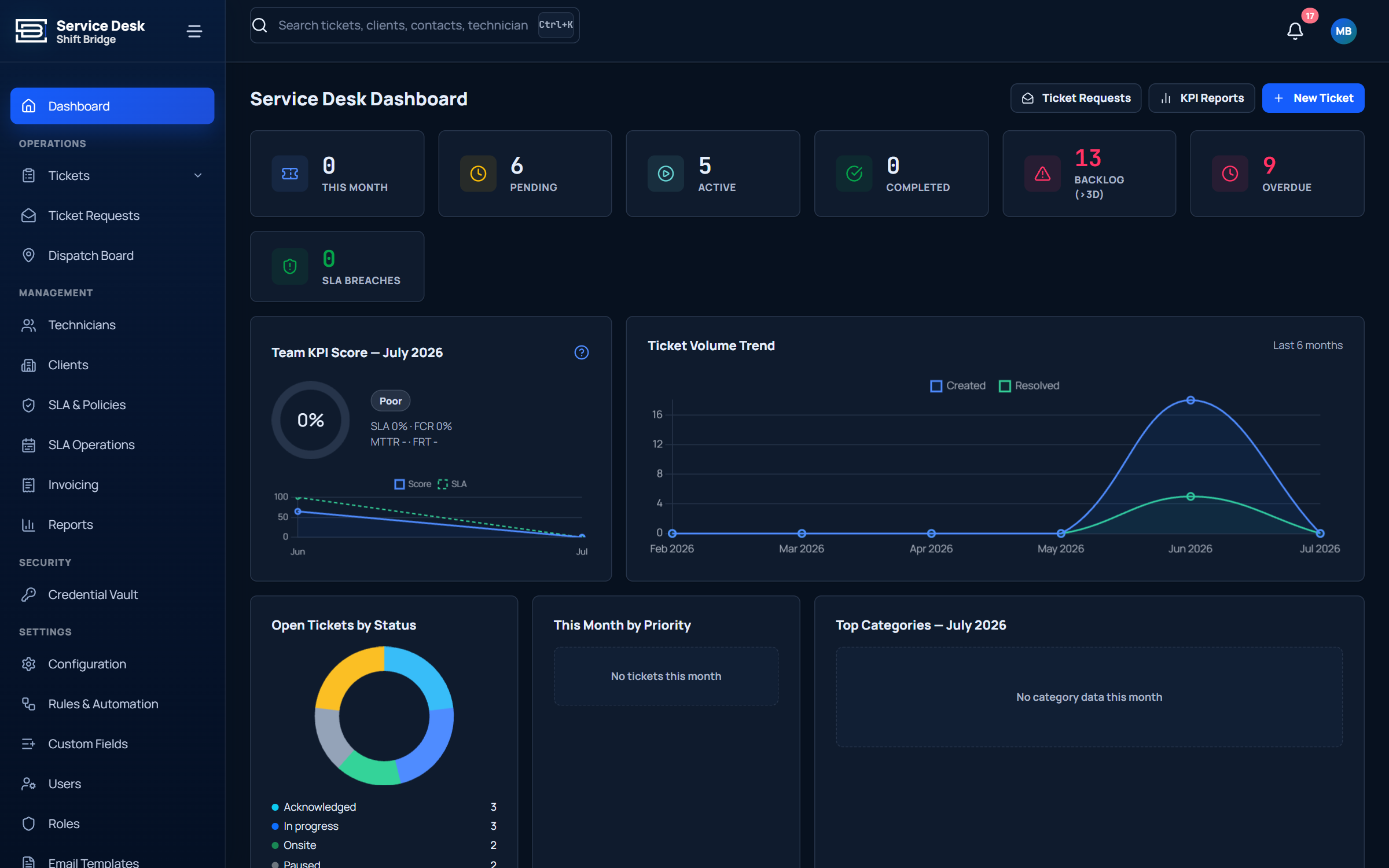
Dispatchers see pending, active, backlog, overdue, and SLA-breach counters; team KPI scores; ticket-volume trends; and status breakdowns.
What you see
- Live ticket counters by status and priority
- SLA breach and escalation alerts
- Team KPI score and technician utilisation
- Open-ticket status breakdowns
Work the queue. Then work the ticket.
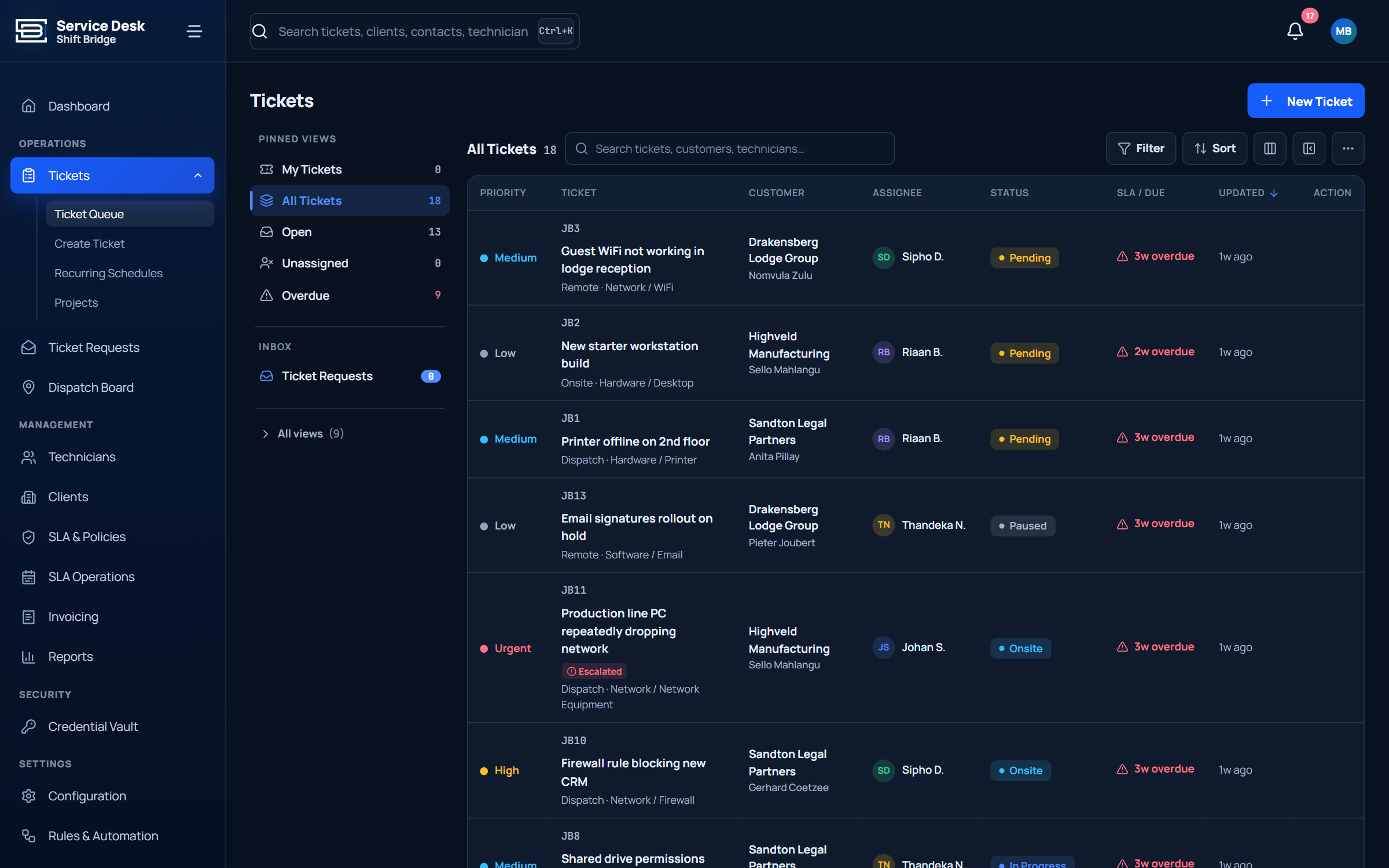
Console view with saved views and urgency-sorted tables. Tickets follow a guided lifecycle so status values always mean the same thing.
Inside every ticket
- Customer, contact, taxonomy, priority, and assignments
- Notes, checklists, photos, and time entries
- Guided lifecycle: Pending → In Progress → On-site → Completed → Closed
- Reopen capability with a full activity log
Your customers stay in the loop.
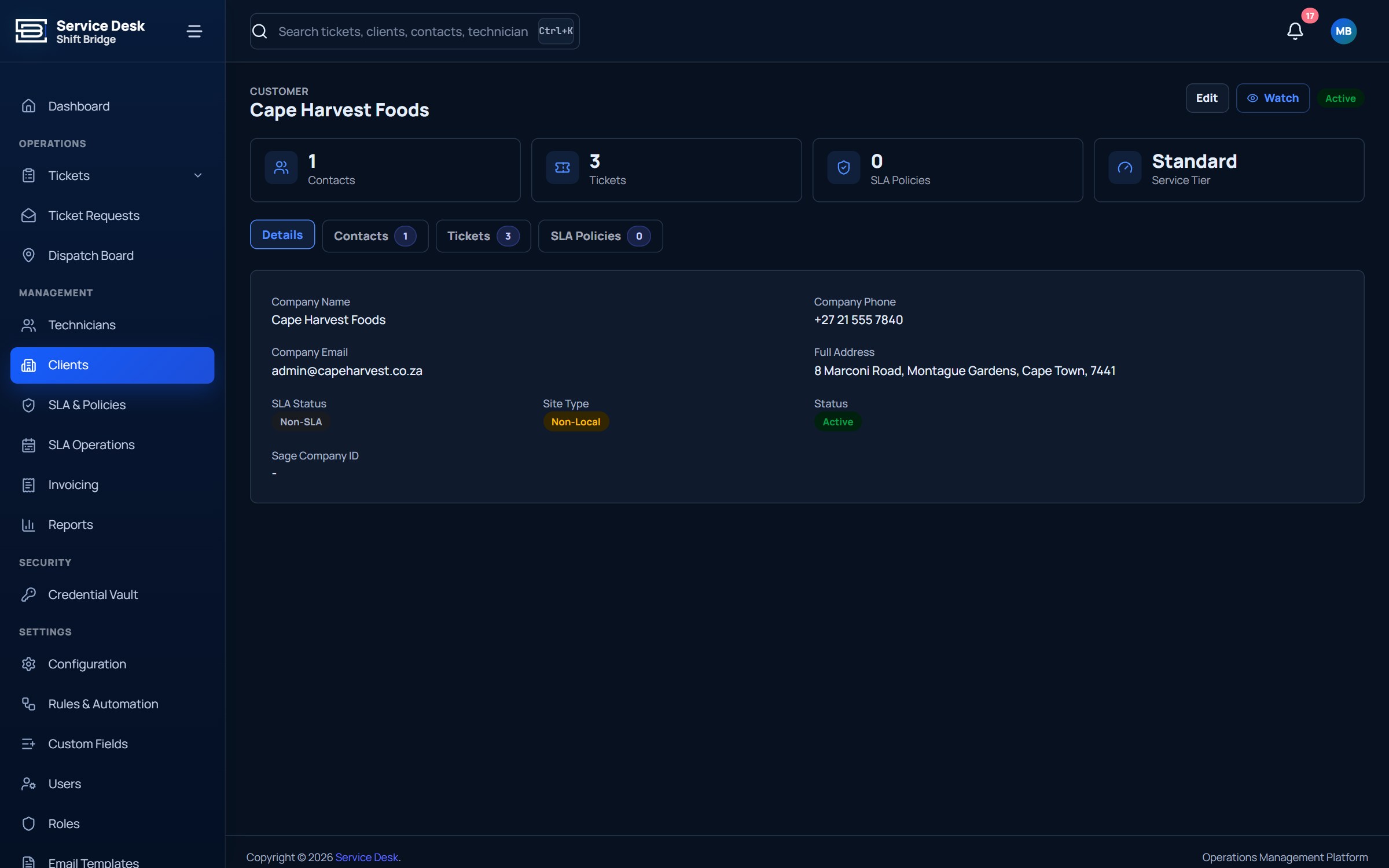
CRM-style customer register with map-based address search, per-customer SLA assignment, contacts, ticket history, and a branded self-service portal.
Customer experience
- Branded self-service portal
- Ticket comments, attachments, and satisfaction ratings
- Public no-login submission form
- Per-customer SLA and contact management
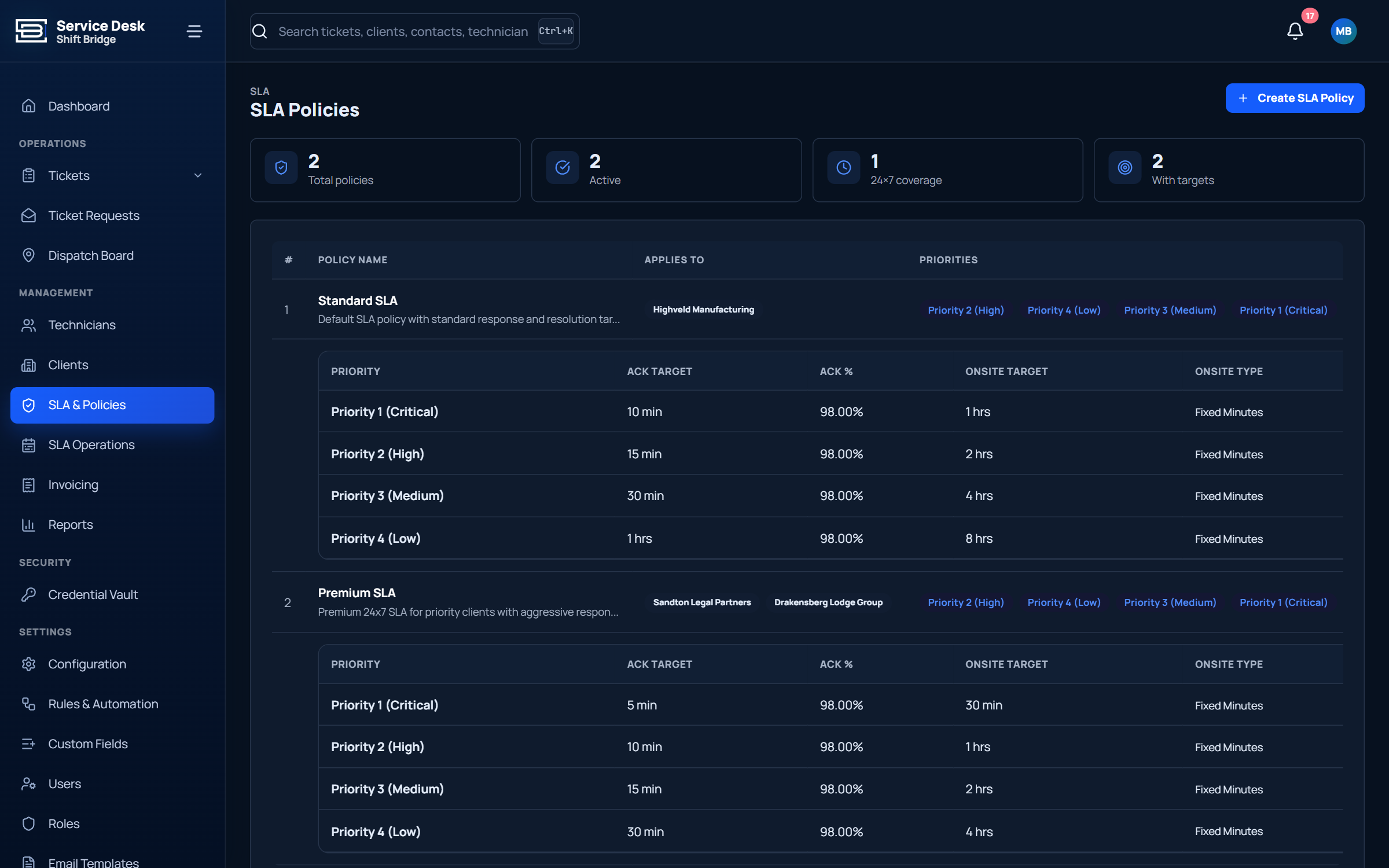
SLA promises that stay accurate.
Per-customer SLA policies with working hours, public holidays, and custom calendars. The clock pauses when waiting on the customer.
SLA capabilities
- Per-customer SLA policies with response and resolve targets
- Business-hours calendars and public holiday support
- Pause-aware timers and escalation chains
- Breach warnings on the dashboard, in lists, and on tickets
Plan work. Dispatch people.
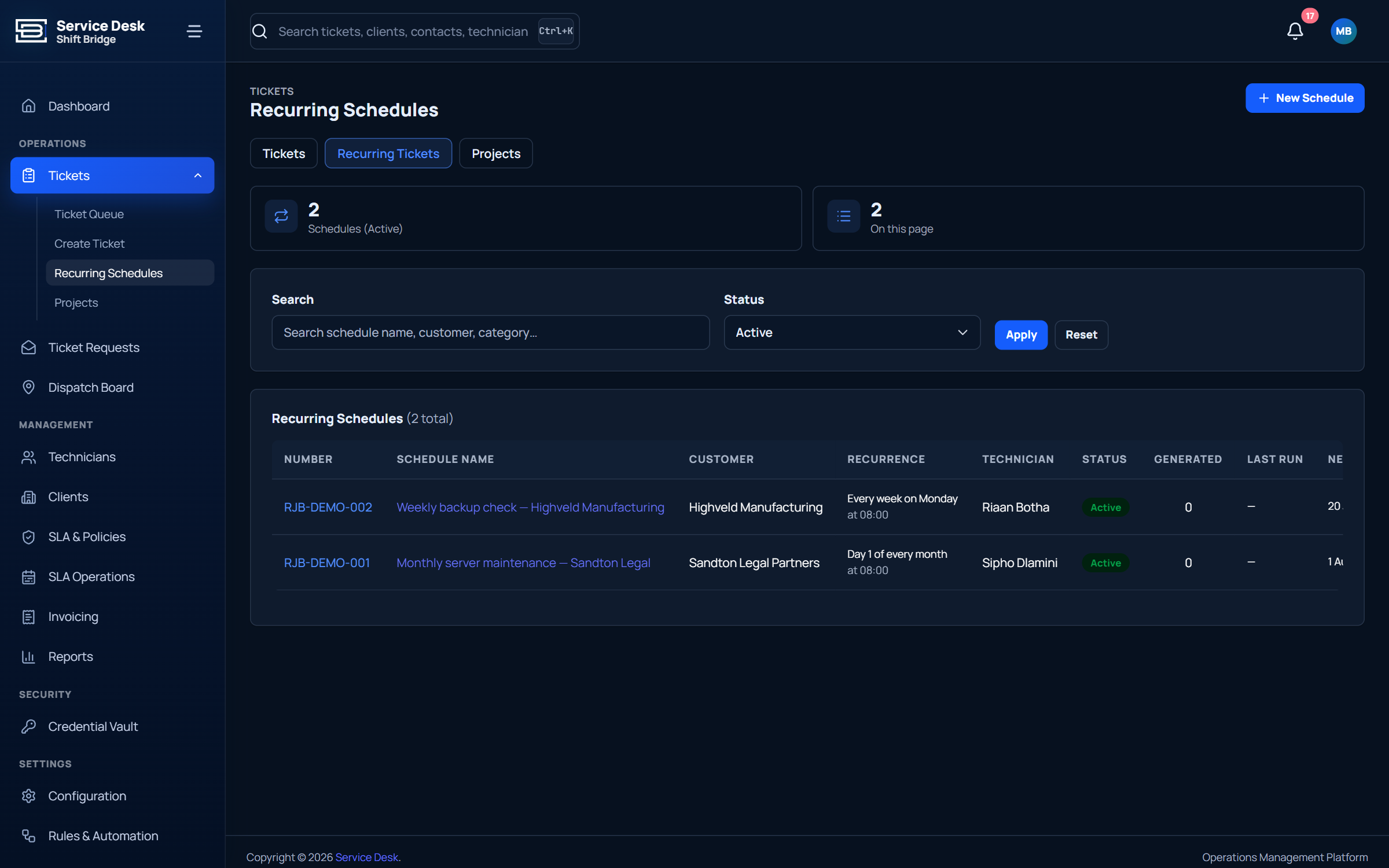
Schedule visits with planned start and end times, assign technicians, track all-day and routine work, and manage recurring tickets from one board.
Scheduling features
- Day and week views with drag scheduling
- Assign to technicians with planned time windows
- Recurring ticket schedules with auto-generation
- Project grouping for multi-visit engagements
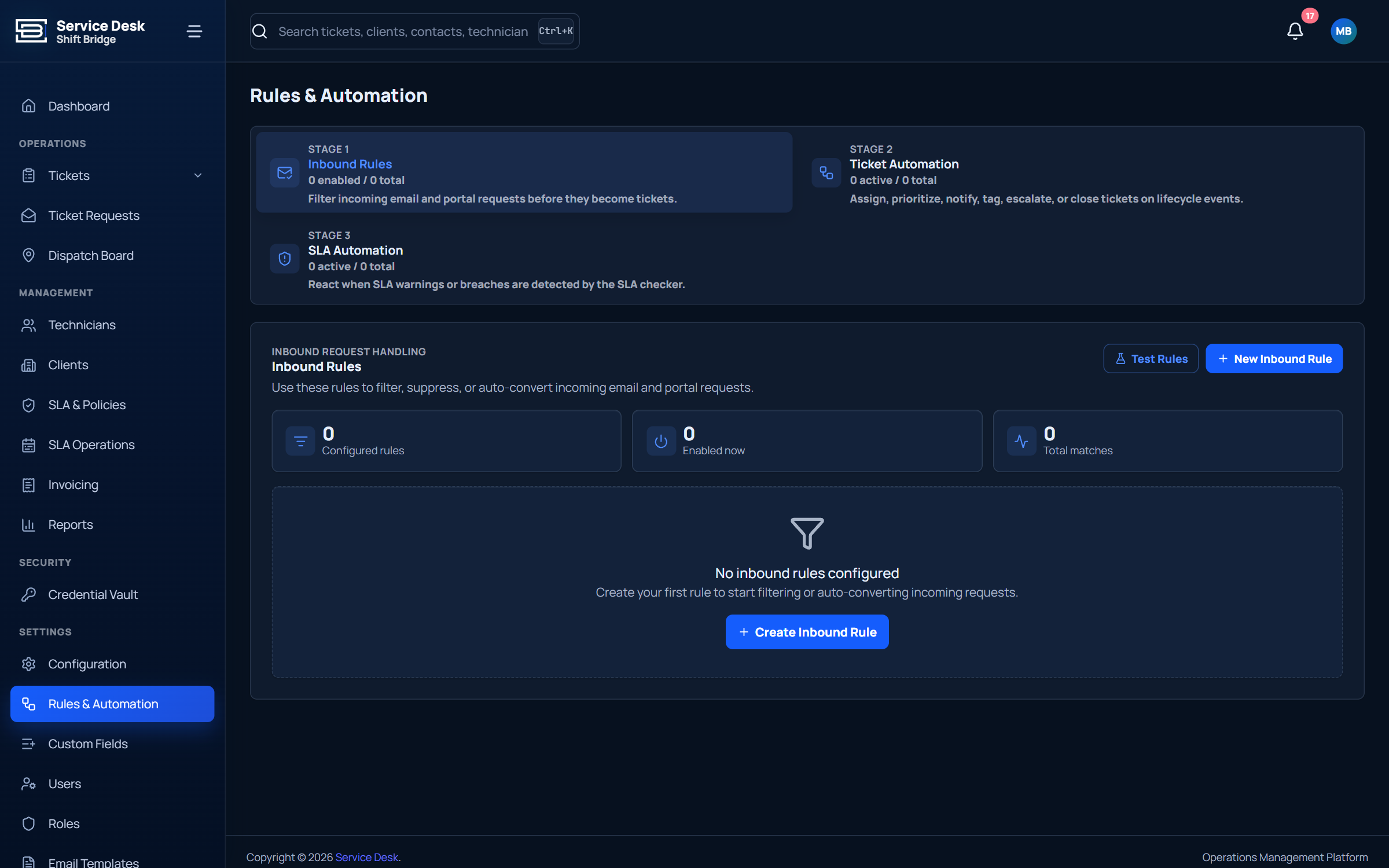
Let the system do the routine work.
Inbound mail rules, trigger-condition-action workflows, email templates, and notification rules keep your team focused on the customer.
Automation
- Trigger-condition-action rules with a safe test mode
- Inbound mail rules with regex and regex-match actions
- HTML email templates and merge fields
- Clear run logs for every executed rule
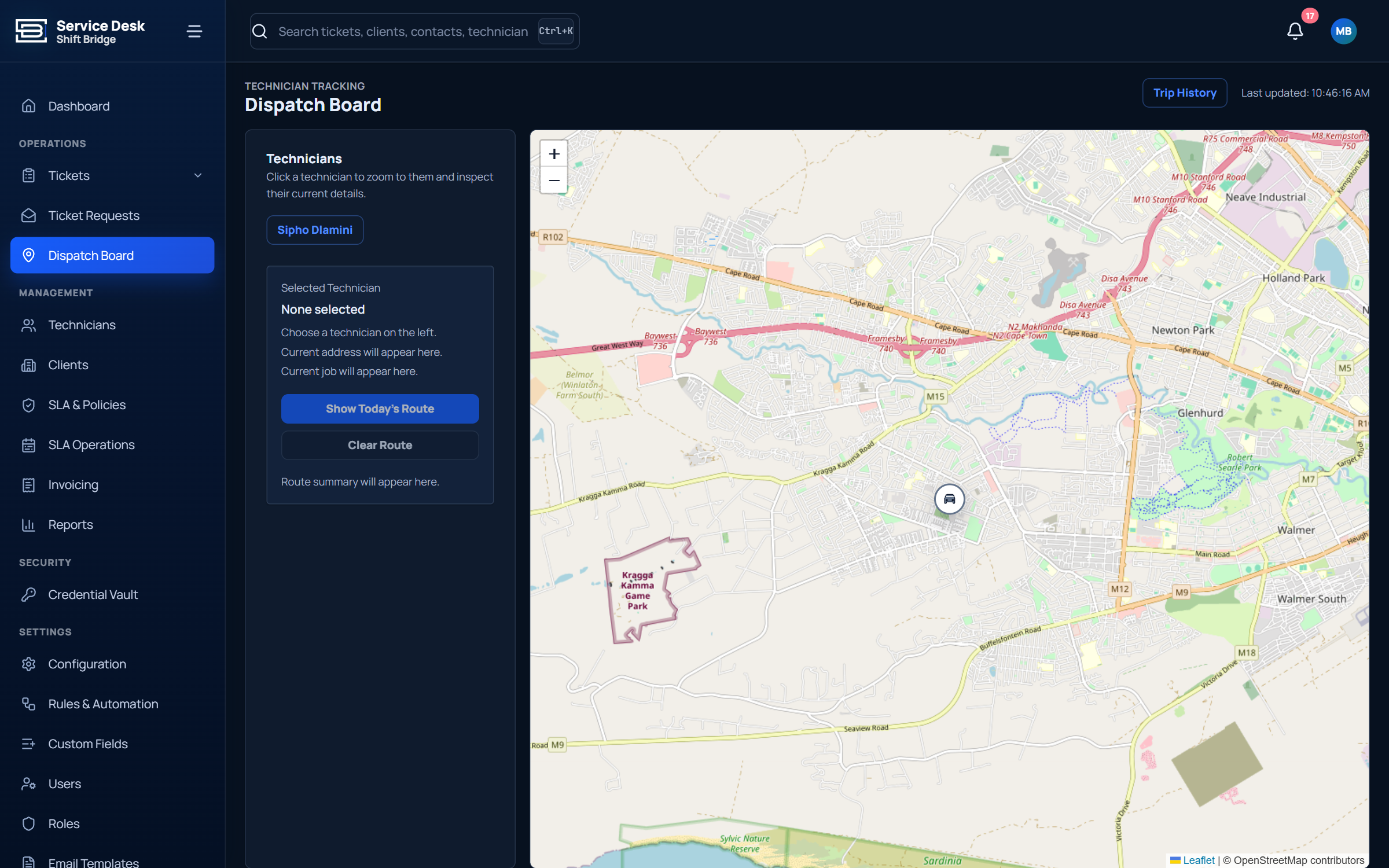
See where every technician is, right now.
See live technician locations, route history, and on-site arrivals. Share tracking links with customers so they know exactly when help will arrive.
Field visibility
- Real-time map with technician location and status
- Route history and on-site arrival timestamps
- Customer-facing tracking links with an ETA
- Tracker clock-in / clock-out events
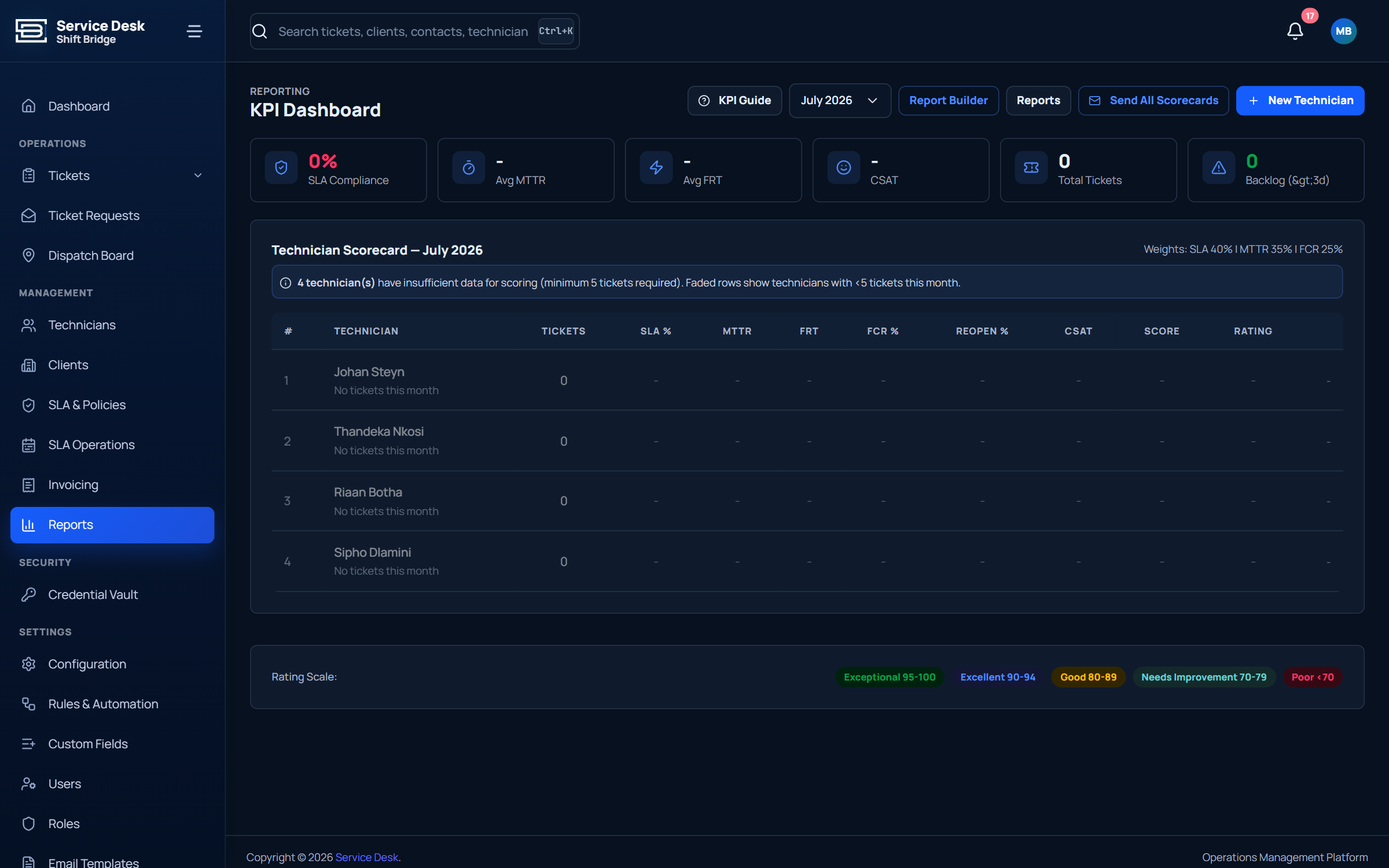
Understand performance and prove your value.
Built-in ITSM reports, a custom report builder, scheduled emails, and branded exports. Weighted scorecards show technician performance fairly.
Reports included
- Ticket volume, SLA breaches, and first-contact resolution
- Technician scorecards with weighted scoring
- Custom reports with filters and scheduled email
- Branded exports with your logo and colours
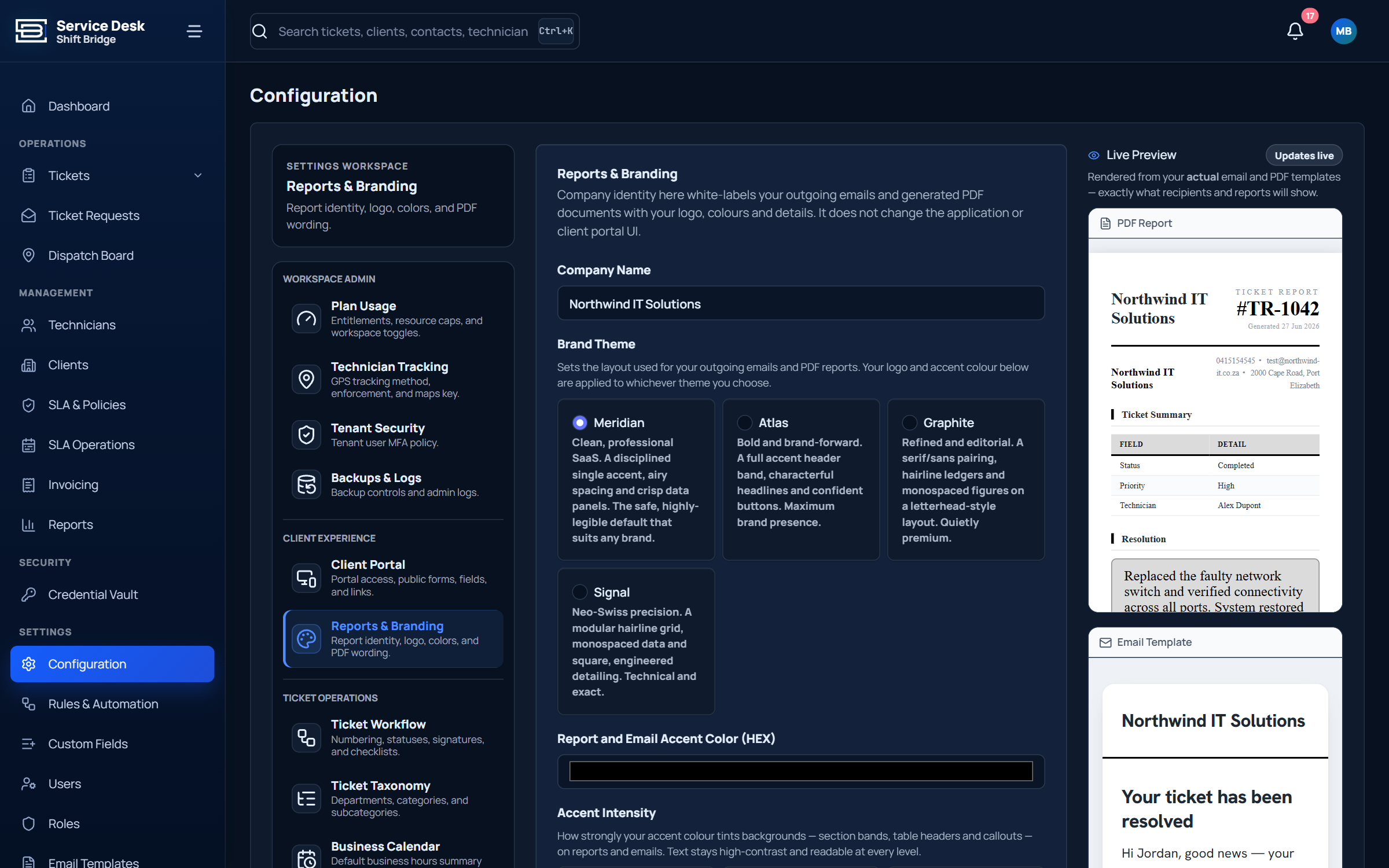
Your service desk, under your brand.
Customise portal logos, colours, ticket prefixes, notification footers, and report headers. Each workspace is isolated with its own database.
Branding control
- Per-workspace logo, colour, and name
- Customer portal styling and ticket prefix
- Branded email footer and report header
- Multi-tenant database isolation
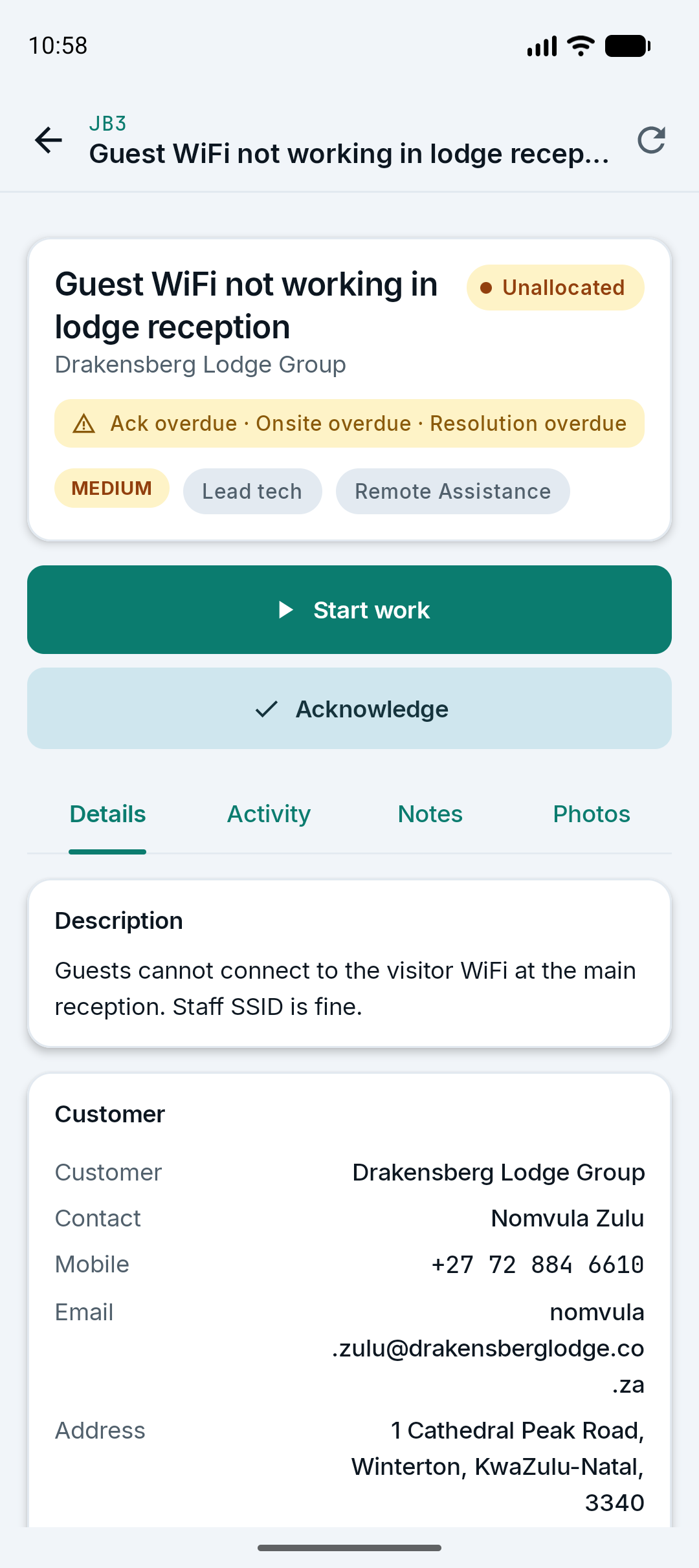
Work does not stop when the signal drops.
Native Android app for technicians: view tickets, add notes and photos, track time, capture signatures, and keep working offline.
Technician app
- Native Android app with offline mode
- Check-in/out, photos, and signatures
- Time tracking and parts logging
- Customer and SLA details on the ticket
Enterprise-grade control.
Permission groups, user management, a credential vault, and full configuration control keep your data safe.
Teams & permissions
Role-based access, custom permission groups, department structure, and user invitations.
Credential vault
Secure storage for customer credentials, devices, and access details with granular access control.
Security
Multi-tenant isolation, HTTPS everywhere, audit trails, and configurable session settings.
Common questions about Service Desk.
What is ShiftBridge Service Desk?
ShiftBridge Service Desk is a cloud-based helpdesk and field service management platform for South African teams. It combines ticketing, scheduling, live technician tracking, SLA management, customer self-service portals, and invoicing in one place.
Who is Service Desk built for?
It is built for South African service teams in IT support, facilities management, technical field service, security, telecommunications, and professional services who need to manage tickets, dispatch technicians, and honour SLAs.
Does the mobile app work without signal?
Yes. The native Android technician app has offline mode, so technicians can view tickets, add notes and photos, capture signatures, and track time even when their signal drops. Data syncs once they are back online.
Can customers log their own tickets?
Yes. Service Desk includes a branded customer portal where clients can log tickets, add comments and attachments, view ticket status, and leave satisfaction ratings. You can also use a public no-login submission form.